
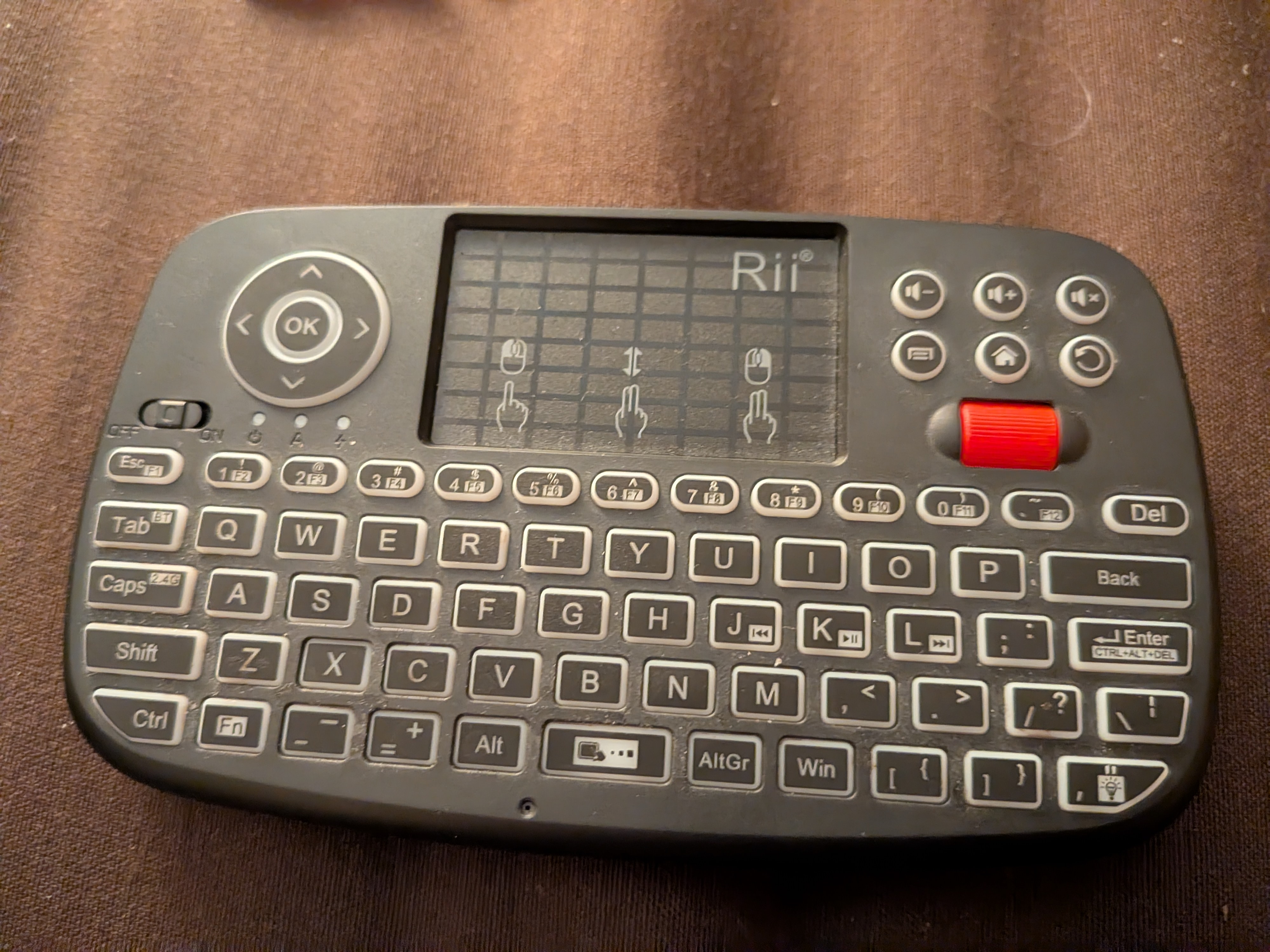
It’s a Rii Mini Keyboard i4, and my concern is that it’s a microphone. I just noticed the hole and think I’m probably wrong in what it is considering how big a deal it would be if it was a mic that isn’t advertised.
What could this hole be for or what is it? Thanks in advance, hope this doesn’t violate any rules.
Well, you’re in luck, as I happen to own this exact model, which has the same hole.
Taking it apart is quite easy, just 6 screws and some plastic tabs hold it together.
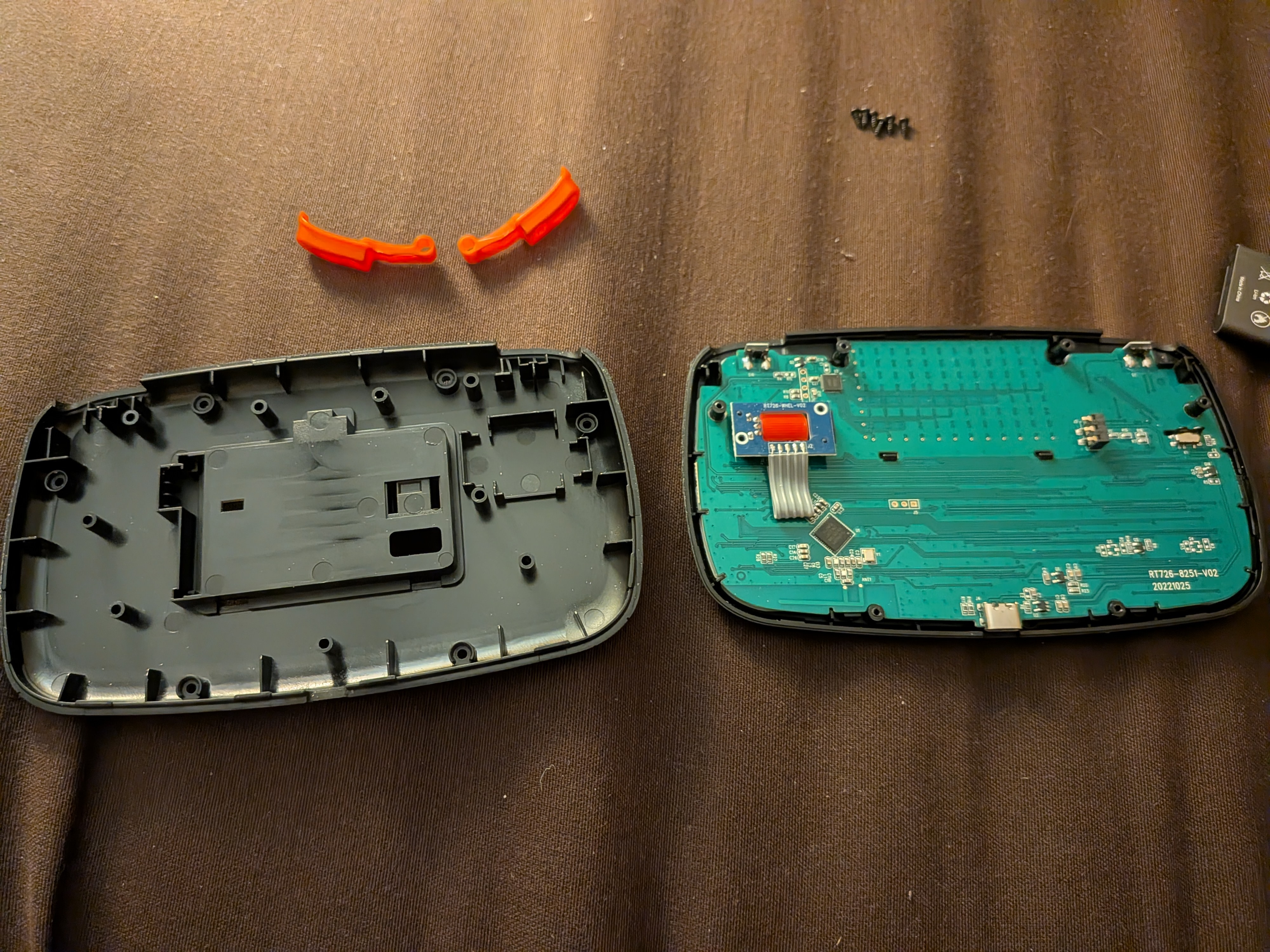
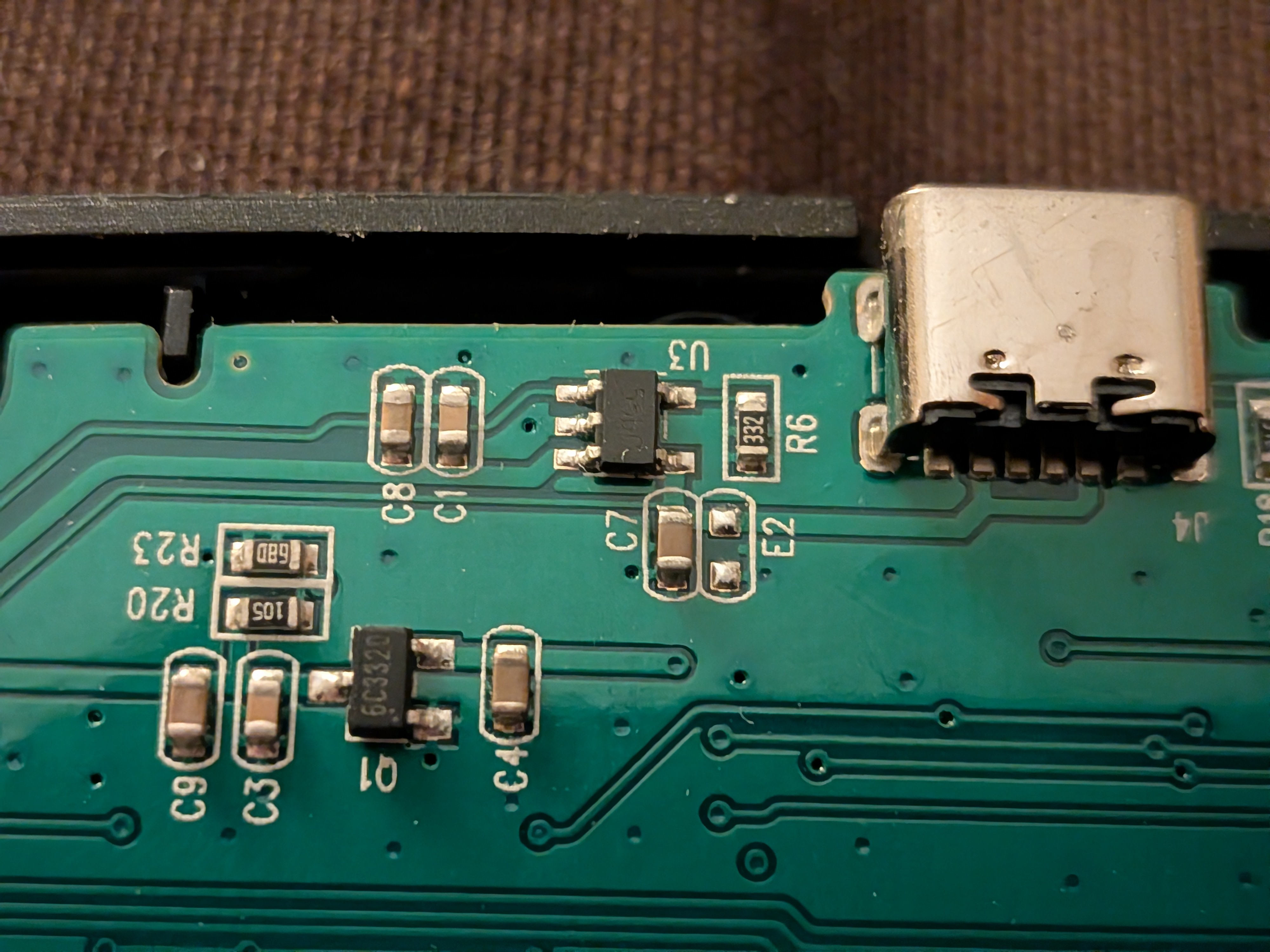
Here’s the components on the underside of the board beneath the hole (these components face the rear backplate)
And if I pry the case apart a bit, I can’t see any components directly beneath the hole, it’s just bare PCB.
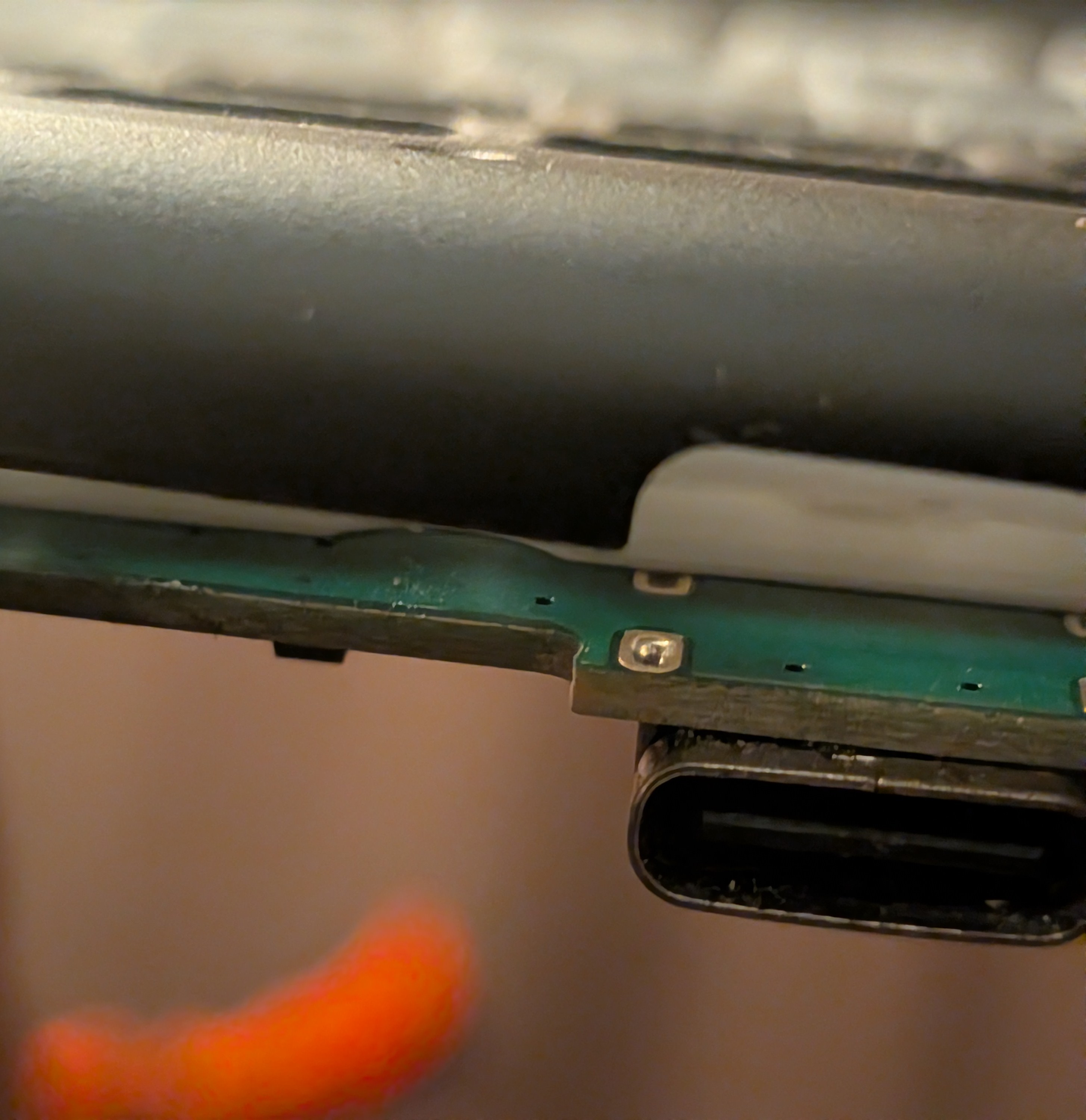
As far as I can tell, no microphone is present. The hole is likely a product of the injection molding process for the outer case.
One thing to note about this device though; while the ergonomics are great and its been reliable, I notice that my left hand wrapping around the case can sorta block the mouse pad signal to the dongle (about 6 feet away), so I need to hold it in a way that the transmitter isn’t blocked by my hand to move the mouse curser smoothly.
Youre a motherfuckin real one for pulling yours out and doing a teardown to ease their anxiety
That is such a kind effort to go to for some random person on the internet, thanks for being here ❤️
I happened to have it and a small enough screwdriver nearby, so figured why not (and I was honestly curious if there was a microphone a myself, that hole was a bit sus, especially after seeing the GN video about LG TVs spying with their mics).
Dude for real, I literally had my shit sprawled out, taken apart and turned to my gf and showed her the post and said “that looks familiar”
The goat.
Now this is content that actually belongs on bestoflemmy.
I did too, and I couldn’t see any sort of reset or anything, and I tried to identify the nearby chips online but couldn’t. Injection molding would make sense. Thanks!
I’m curious, is that your first time noticing the hole?
As someone who stumbled on this thread from All,
I’m curious, is that your first time noticing the hole?
is fantastic when taken out of context. Amigara fault stuff.
Lmao I hadn’t considered that
Yes it is, it never registered with me that it was there until you pointed it out.
Had this thing for months and just noticed myself. A real good oh fuck moment kicked off
Thank you for going above and beyond in answering this question :)
Love to see it
No prob ^^
Injection mold tooling is expensive ($40k+) and PCB iteration is cheap. Its especially hard to add holes to existing plastic parts as that requires adding material to the tool (as opposed to cutting material away). It’s possible a past prototype or future version had/will have a microphone. Or they just wanted to keep their options open.
I do a of lot of sourcing for plastic injection mold tooling. $40k is a pretty high price for this one, but if you are getting out made in the US, then it’s not completely unreasonable. Sourcing it from China would be considerably less than half that price.
Assuming they’re buying extremely large quantities (likely over 10k), I’d guess that this part (top and bottom shells) cost about $3 to $5 for both, not including shipping costs.
Good to know! I’m an electrical engineer, and $40k was always the generic number we got tossed from the MEs. Not sure if it was for domestic or multi-part molds.
For reference, I’d wager single quantities PCB prototypes at around $100 each and maybe $5 at scale.
I suspect the case is also used for another model that does have a microphone.
Ah, good point.
Was really hoping some injection molding boys would show up eventually.
The post and it’s response is why I’m here. Love this shit
I agree. It’s like how cars have blank buttons. It’s so they can use the same mold for different feature sets.
This was a great response
I’d love to see a community that does breakdowns of all sorts of electronic goods like this. It can be really informative and entertaining.
One of the best comments I’ve ever seen on the internet
You’ve been added to the Best of Lemmy: https://sh.itjust.works/post/67171270

I also have this exact same device and I also noticed annoying mouse jitter. I tentatively diagnosed it as the dongle itself getting overheated (that PC gets pretty hot and putting on a fan on it seemed to help). I definitely want to try your suggestion now
Wonderful day!
Indeed, the manual does not describe it:
- http://www.riitek.com/upload/i4.pdfIt seems more like a hard “reset” button located at the front for unknown reason…
The single teardown I found that exposes the PCB front of this device is the following, but the website has the full sizes of the images locked behind authorization:
- https://www.mydigit.cn/thread-220779-1-1.htmlFrom the first glance at other teardowns found, it seems like the device is relatively easy to disassemble to check it manually. For example:
Disassemble the RII i4 wireless keyboard by removing the six screws from the bottom case.
Be sure to remove the battery before prying apart the top and bottom case as this can damage the battery connector.
Update
Oh! I’d been writing the comment, and once published, 3 more appeared!
Thank you, @ProdigalFrog@slrpnk.net, for the information! Please do consider publishing it at more searchable blog/forum/resource, too!Please do consider publishing it at more searchable blog/forum/resource, too!
I have no where else to post it to besides here, I’m afraid. But if anyone else wants to post those pictures elsewhere, feel free :)
My penis
Case closed lmao should have seen this coming
Only 3 possibilities I can think of:
-
A microphone
-
A speaker
-
A screw
Aaaand it’s none of them
-
Can confirm this is an excellent couch controller.
I have trouble double clicking on the trackpad, other than that no notes. Fuckin scroll wheel is its own little pcb, what a nice touch
The scroll wheel even has a mouse middle click functionality 🤌🏽
I see we have scholarly gentleman opening a fuck load of tabs
Beyond a mic it could be that “factory reset” button. Unlikely but possible
I’ve looked through all of the keyboards on Riitek, I don’t see any mention of this dot on any page or in any manual, but it consistently shows up on these mini keyboards with a dongle, so my guess is something to do with the wireless connection, but I’m not sure what. Another possibility is a screw hole, since there’s only so much real estate on these tiny things, but that seems less likely.
Not a screw hole, and the more I think about it, unlikely it’s injection molding artificact due to the amount of other holes they could have used. Maybe right.
Might be a reset pin for unlinking bluetooth connection?
Off topic but what’s this for?
It’s a wireless keyboard and mouse, handy for controlling a media center or couch PC.
For sure, only TV I got is dumb as hell and has an old laptop running mint.
Hell yeah.
On topic friend